Hide a plate, hide the vehicle
Blur license plates
Selling a car? Sharing a parking photo? Blurify finds the plate — license plate, number plate, registration plate, whatever you call it — and hides it before you post: pixelated, blurred, or covered with a solid block.
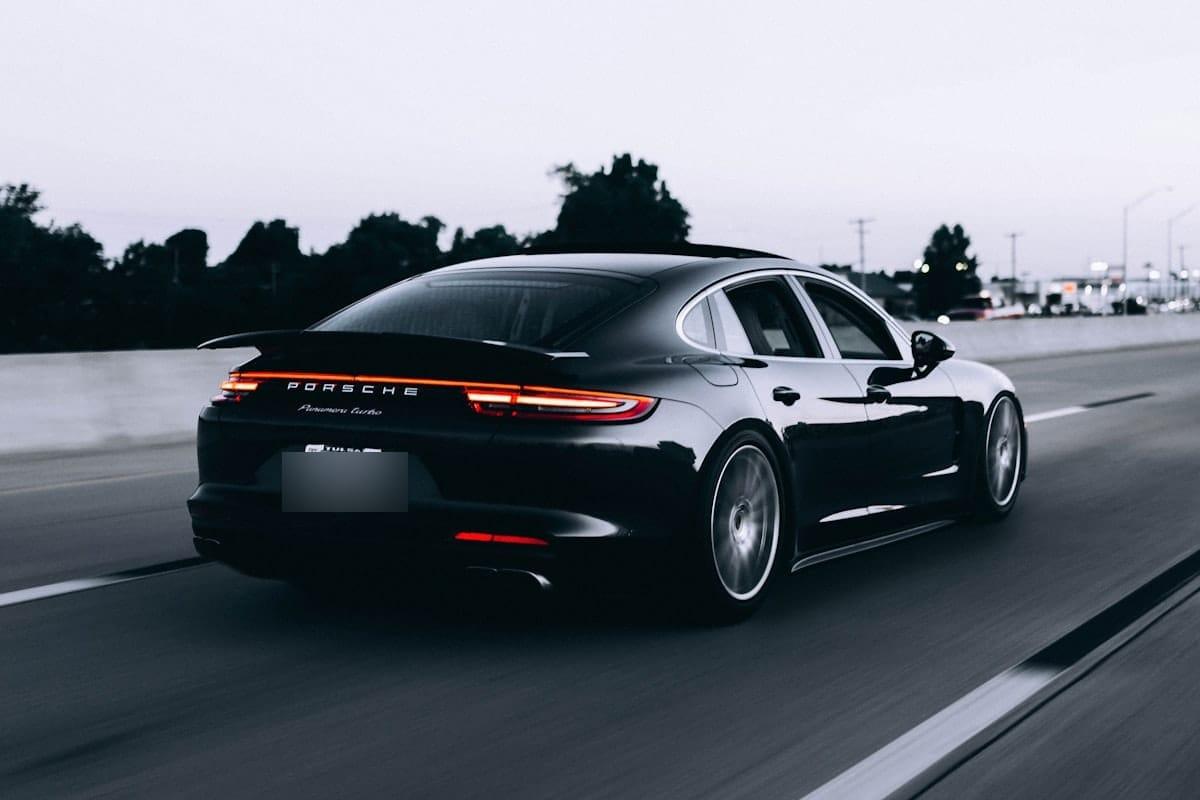
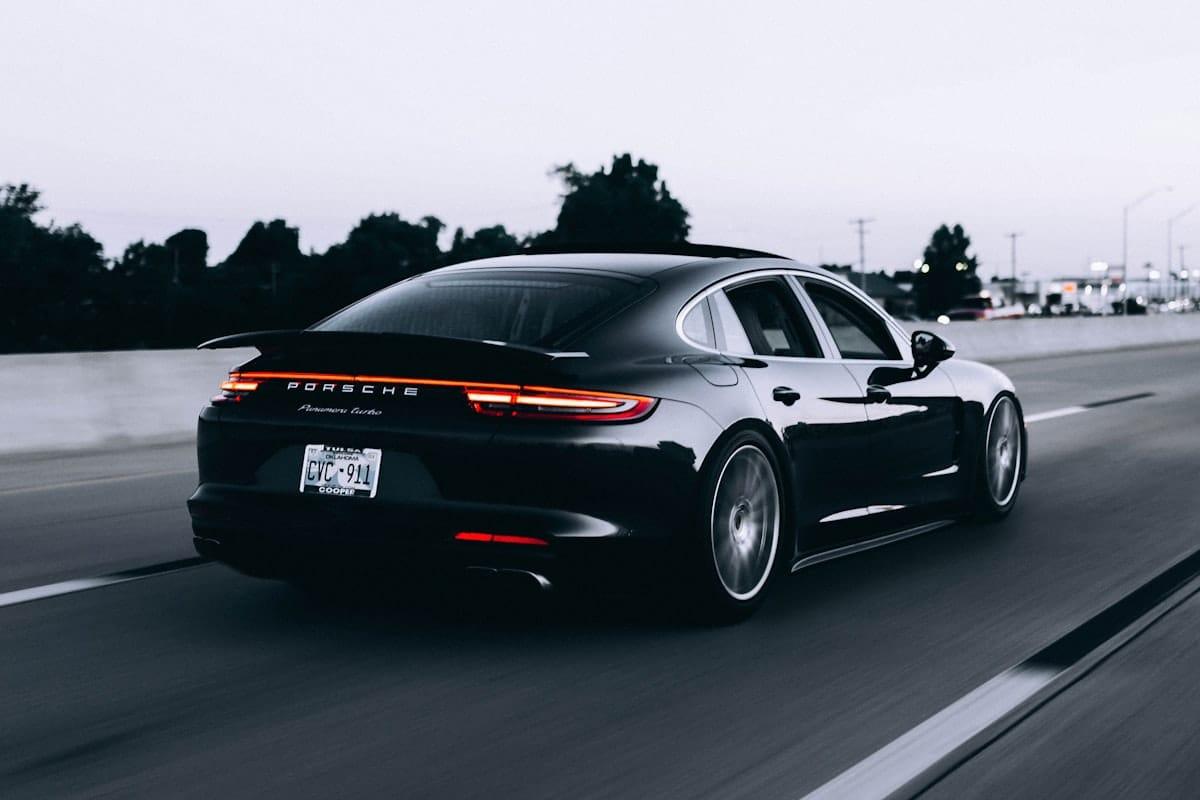
How it works for plates.
Drop the car photo
Rear, side, or front. JPEG / PNG / WebP / HEIC/HEIF up to 20 MB. We re-encode the export to your chosen format.
Plate region appears
Google Cloud Vision Object Localization detects 'Vehicle registration plate' as a class. You see a tight box around it. Adjust it if the bbox is off — it's a draggable rectangle.
Fill, pixelate, or blur — export
A solid block is the default for plates (irreversible — the pixels are gone). Or pick pixelate / gaussian / color overlay / a sticker. Download with EXIF stripped.
Questions, honestly answered.
- Will it work on EU / UK / multi-line plates?
- It works on most plates that face the camera. Oblique angles, partial occlusion, and stacked / multi-line plates are harder. The editor's draw-your-own region tool is the answer when auto-detection misses.
- Why pixelate instead of blur?
- Pixelation is the convention for license plates in published photography because it's visually obvious that something has been removed. Gaussian blur can look like depth-of-field — viewers might assume the plate is just out of focus.
- Can someone reverse the pixelation?
- Not with the pixels themselves — we replace them with mosaic blocks at export time using Sharp, a destructive re-encode, not a reversible CSS filter. Still, coarse pixelation of a small, low-detail region has occasionally been reconstructed in research settings. For a plate, a generous block size — or Solid fill — is the maximum-safety choice.
- Do you keep my car photos?
- No. Uploads live in private S3 for up to one hour then auto-delete. We never share with third parties beyond the cloud vision API that runs the plate detection.
- Does it work on number plates / car number plates (UK, India, Australia)?
- Yes — "license plate", "number plate", "registration plate" and "car number" are the same thing to Blurify. Detection works best on plates that face the camera; oblique angles or stacked multi-line plates are harder, and the draw-your-own-region tool covers those.
- Should I blur my number plate when selling a car online?
- It's the classic case for blurring a plate at all. A readable plate on a marketplace listing can be cloned onto another vehicle or looked up on registration-data sites — and the listing already tells strangers roughly where the car lives. Blur the plate in every listing photo; if you shot a whole set, Bulk blur does the folder in one pass.
- I have a whole folder of car photos — one by one?
- No — Bulk blur takes a folder, runs the same plate detection over every photo, and hands back a single ZIP. See the Bulk page.
- Does it work on video?
- No — Blurify is an image tool. For a video, export the frames you plan to share as images and blur those.
Guides
How to blur a license plate in a photo
The full 3-step walkthrough — auto-detect, adjust, export.
Should you blur your license plate?
What a visible plate exposes, and when it actually matters.
Redact vs blur vs pixelate
Why gaussian blur can be reversed — and what to use instead.
Number plates on dealership listings
Batch-blur a whole listing shoot in one pass.
Remove a license plate from a photo
Cover it or block it out — and what removal really means.
Cut out, blur, or fill?
The driveway behind the car gives away as much as the plate does. Three ways to deal with it.
Try it. Your photo never leaves your hand.
Free, anonymous, deleted within an hour. No account to sign up for, no watermark on the export.
Open the editorOther things Blurify hides for you.
Anonymize people
faces
Blur faces in seconds. Auto-detected, manually adjustable.
See how →
Every face, hidden in one pass
anonymous
Anonymize every face in a photo — found and hidden in one pass.
See how →
Car number, reg plate — covered
hidden
Hide a car number or reg plate before the photo goes public.
See how →
Hide names, numbers, addresses
documents
Black out names, numbers, and signatures on a document photo or scan.
See how →
Show the bug, hide the data
screens
Sanitize a screenshot before sharing the bug or the chat.
See how →
Block it out
pixelate
Censor a face with hard pixel blocks instead of a soft blur.
See how →
The metadata you can't see
exif
Strip GPS, camera model and timestamps from any photo.
See how →
Names, numbers, anything written
text
Hide names, emails and numbers written anywhere in an image.
See how →
Your home stays private
address
Blur a house number or street sign before a listing goes live.
See how →
Blur, pixelate, black bar, or an emoji
censor
Censor a photo with blur, pixel blocks, a black bar, or an emoji.
See how →
One spot, not the whole shot
region
Blur one region of a picture and keep the rest sharp.
See how →
Blur nudity
nudity
Auto-detects nudity per body part. Blur only what needs hiding.
See how →
Emoji face cover
emoji
Put an emoji or a sticker over any face — found automatically, covered completely.
See how →
The room behind you talks
backdrop
Hide the room, the street, or the office standing behind you.
See how →