Car number, reg plate — covered
Hide a number plate in a photo
About to post a photo of your car? Hide the number plate first — the car number, the reg, whatever you call it where you live. Blurify finds it and covers it: a solid block, a pixel mosaic, a blur, or a sticker, your choice.
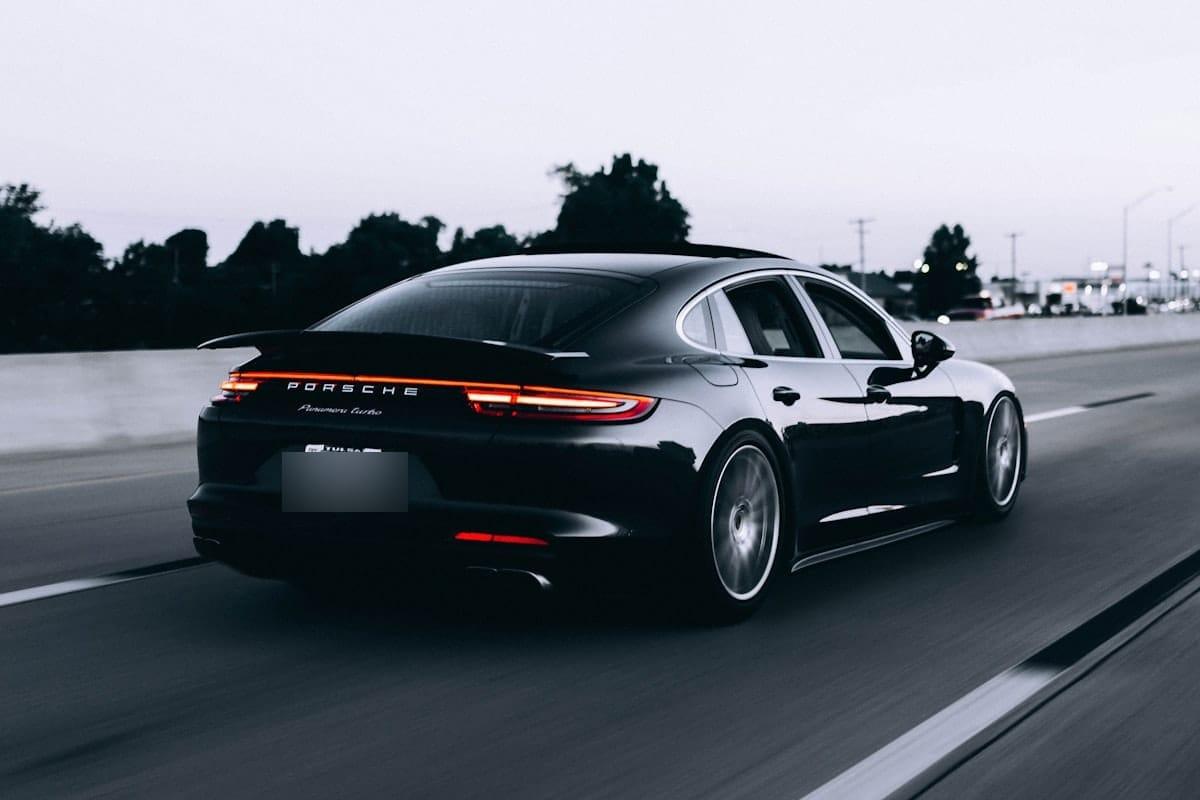
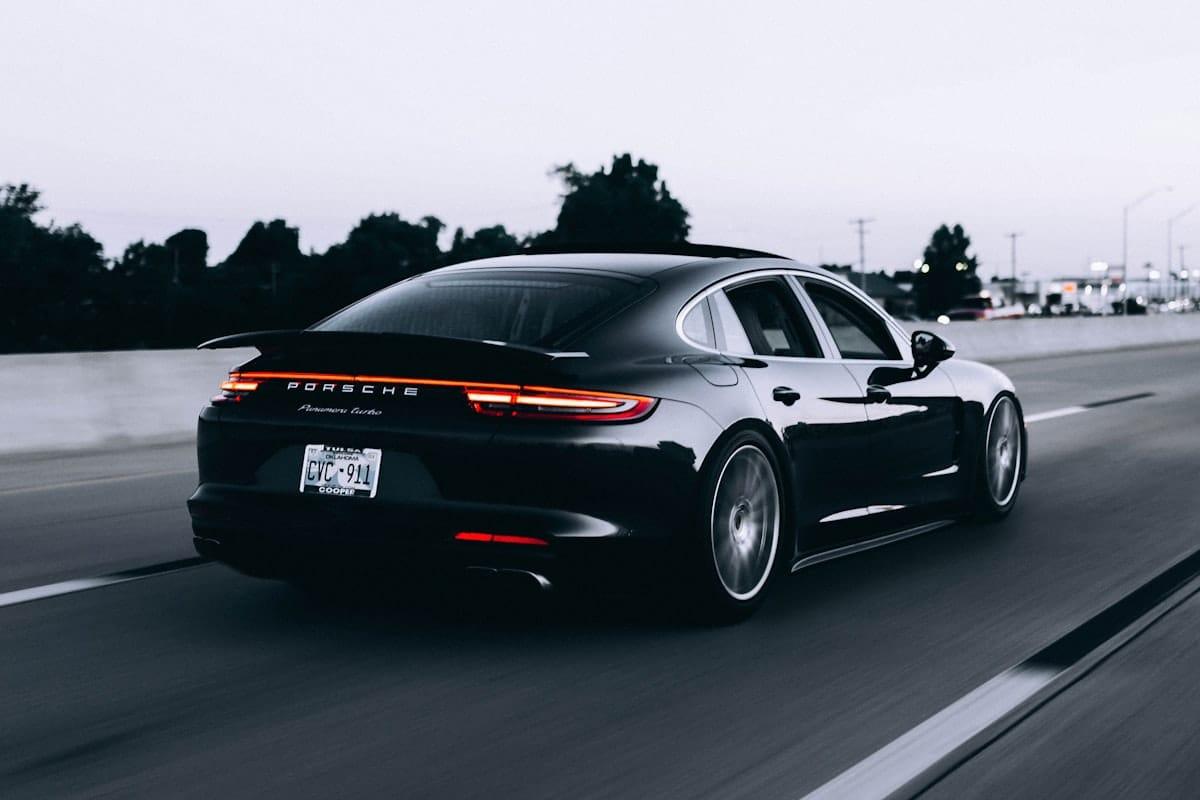
How it works for hidden.
Drop the car photo
Straight from the phone's camera roll or a proper camera — JPEG, PNG, WebP, HEIC/HEIF up to 20 MB. Nothing to install and no account to make.
The plate is found for you
Google Cloud Vision picks out the registration plate wherever it sits in the frame and outlines it. If the angle is oblique or the plate is half-covered, draw the rectangle yourself — it takes two seconds.
Cover it and download
A solid block hides it completely; pixelate and blur are one tap away. The export rewrites the pixels — the plate isn't under a filter, it's out of the file — and EXIF/GPS metadata comes off too.
Questions, honestly answered.
- What's the best way to hide a car number in a picture?
- Depends on how final you want it to look. Solid fill covers the plate with flat color and leaves nothing underneath to recover — the safest choice. Pixelation is the style everyone recognizes as deliberate censoring. Blur is the softest-looking of them, and a sticker covers the plate with artwork instead. All of them are baked into the pixels at export, so the difference is appearance, not security.
- Is hiding a plate the same as blurring it?
- Blurring is one way to hide it — pixelation, a solid block, a color overlay that matches the photo, and a sticker all do the same job in a different style. Whichever you pick, the plate characters are unreadable in the exported file.
- Can someone un-hide the plate in my exported photo?
- No. The covered region is rewritten when the file is re-encoded — it's not a layer or a reversible filter sitting over the original. There is no version of the export that still contains the plate.
- Does it understand UK reg plates and Indian car numbers?
- Yes. The detector has one idea of a vehicle registration plate and it covers US, UK, EU, Indian and Australian plates alike. Square and stacked two-line plates are the hard case — when the box misses, drag your own rectangle over the plate instead.
- Should I hide the plate when selling my car?
- It's the single most common reason people do this. A marketplace listing keeps your plate on public display for weeks next to your rough location. Hide it in every photo of the listing — and if you shot the whole car, Bulk blur covers the full set in one pass.
- Can I hide the plates in a whole folder of photos?
- Yes — bulk mode takes up to 20 photos at once, finds the plate in each one separately, and returns everything as a single ZIP, each image exported with its metadata stripped.
Guides
How to blur a license plate in a photo
The full 3-step walkthrough — auto-detect, adjust, export.
Remove a license plate from a photo
Cover it or block it out — and what removal really means.
Should you blur your license plate?
What a visible plate exposes, and when it actually matters.
Redact vs blur vs pixelate
Which of the three actually hides a plate for good.
Try it. Your photo never leaves your hand.
Free, anonymous, deleted within an hour. No account to sign up for, no watermark on the export.
Open the editorOther things Blurify hides for you.
Anonymize people
faces
Blur faces in seconds. Auto-detected, manually adjustable.
See how →
Every face, hidden in one pass
anonymous
Anonymize every face in a photo — found and hidden in one pass.
See how →
Hide a plate, hide the vehicle
plates
Strip a license plate from a car photo before you post it.
See how →
Hide names, numbers, addresses
documents
Black out names, numbers, and signatures on a document photo or scan.
See how →
Show the bug, hide the data
screens
Sanitize a screenshot before sharing the bug or the chat.
See how →
Block it out
pixelate
Censor a face with hard pixel blocks instead of a soft blur.
See how →
The metadata you can't see
exif
Strip GPS, camera model and timestamps from any photo.
See how →
Names, numbers, anything written
text
Hide names, emails and numbers written anywhere in an image.
See how →
Your home stays private
address
Blur a house number or street sign before a listing goes live.
See how →
Blur, pixelate, black bar, or an emoji
censor
Censor a photo with blur, pixel blocks, a black bar, or an emoji.
See how →
One spot, not the whole shot
region
Blur one region of a picture and keep the rest sharp.
See how →
Blur nudity
nudity
Auto-detects nudity per body part. Blur only what needs hiding.
See how →
Emoji face cover
emoji
Put an emoji or a sticker over any face — found automatically, covered completely.
See how →
The room behind you talks
backdrop
Hide the room, the street, or the office standing behind you.
See how →